
Blume Live Wallpaper Pro
Sie können das Hintergrundbild automatische Umschaltung als Diashow Hintergrund.
Upgrade auf Version Pro haben die volle Einstellung:
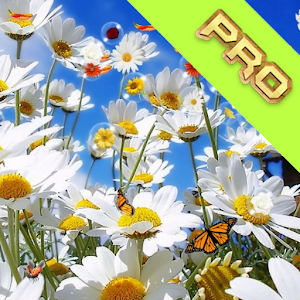
* 11 Hintergrund Blumen * Ändern Auto Hintergrund als Diashow * Config Zeit-Auto Hintergrund ändern * Ändern Blumenart, die Anzahl * 9 Blumen fallen * 14 Blumen für Hintergrund Blase * Zeige Punkt gebrochen Blase * Ändern zulassen Biene, Schmetterling
Sie können den Bildschirm berühren, um gebrochen Blase und wenn Sie berühren, die Wind schaffen bewegen drückt die Blase weiter fliegen.
Wir werden auch weiterhin neue Funktionalität von App zu aktualisieren.
Wir hoffen, Ihr Urteil 5 Sterne für die App.Danke!
Zum Gebrauch: Home => Menu (oder lang drücken) => Wallpaper => Live Wallpapers => Blume Live Wallpaper ProOder klicken Sie auf Shortcut-Symbol auf dem Startbildschirm für die Einleitung App!
About Blume Live Wallpaper Pro
- Package name (App ID)
- com.submad.flower.pro
- Available on
- Google Play
- Price
- Free
- Version
- v3.2
- Developer
- SubMad Group
Looking for the Blume Live Wallpaper Pro APK?
The safest way to get Blume Live Wallpaper Pro (com.submad.flower.pro) on your Android device is to install it directly from Google Play — you'll always get the latest official version, automatic updates, and no risk of modified or infected APK files from third-party sites.
Smart Home
Control and monitor your home with smart features.
Automotive
Manage and monitor your vehicle with smart features.
Blume Live Wallpaper Pro in Aktion sehen


Frequently Asked Questions
Is Blume Live Wallpaper Pro free?
Yes, Blume Live Wallpaper Pro is free to download and install on Android through Google Play.
How do I install Blume Live Wallpaper Pro on Android?
Open Google Play on your Android phone or tablet, search for Blume Live Wallpaper Pro by SubMad Group or tap the Google Play button on this page, then tap Install. The app downloads and installs automatically.
What is com.submad.flower.pro?
com.submad.flower.pro is the App ID (package name) of Blume Live Wallpaper Pro on Google Play. Every Android app has a unique package name, and it is the safest way to verify you are installing the official app.
Is Blume Live Wallpaper Pro safe to download?
Installing Blume Live Wallpaper Pro from Google Play is the safest option: you get the official version published by SubMad Group, verified by Google Play Protect, with automatic updates. Avoid APK files from unofficial third-party sites.
Get Blume Live Wallpaper Pro Today
Blume Live Wallpaper Pro for Android — free download on Google Play.
Compatible with Android phones and tablets — available on Google Play.
Frag die KI zu dieser App
Erhalte sofortige Antworten zu Funktionen, Tipps und mehr.